December Adventure
2025 edition
For all of December I’ll try to keep this page updated with project work I’m doing as part of December Adventure.
Last year I looked into CRDTs and made a small collaborative text editor (without any CRDTs!), see:
For more on what December Adventure is, see https://eli.li/december-adventure
Entries
- Mon, 01 static site gen
- Tue, 02 static site gen
- Wed, 03 static site gen
- Thu, 04 static site gen
- Fri, 05 proquints
- Sat, 06 smolshare
- Sun, 07 progressive enhancement
- Mon, 08 rss; forum; search engine
- Tue, 09 small site tricks
- Wed, 10 static site gen
- Thu, 11 maxed out bytes + sewing
- Fri, 12 codeberg pages + bugfixes
- Sat, 13 debug builds
- Sun, 14 debug builds fin.
- Mon, 15 golang
- Tue, 16 sewing + ssg
- Wed, 17 smolshare css fix
- Thu, 18 prototyping + tools scaffold
- Fri, 19 prototyping cont + sewing
- Sat, 20 all-day sewing
- Sun, 21 private rss thinking
- Mon, 22 cerca + private rss thinking
- Tue, 23 noop
- Sat, 27 sewing projects showcase
2025-12-01
A project I’ve been working on recently is a static site generator. The usecase is more general than my previous attempts at site generators and I think it’s quite nice to use. Since I’m nearing the end of this first bout of development, I asked some friends for feedback.
One of the suggestions I got (thanks lee!) was to make it easier to get started with by dumping out a complete example directly from the tool. So this morning I’ve been working a bit on making that example. I’m trying to keep it relatively barebones while still useful as a base that can be expanded on. I’m also trying to demonstrate some of the most useful patterns from the tool’s little kit of commands.
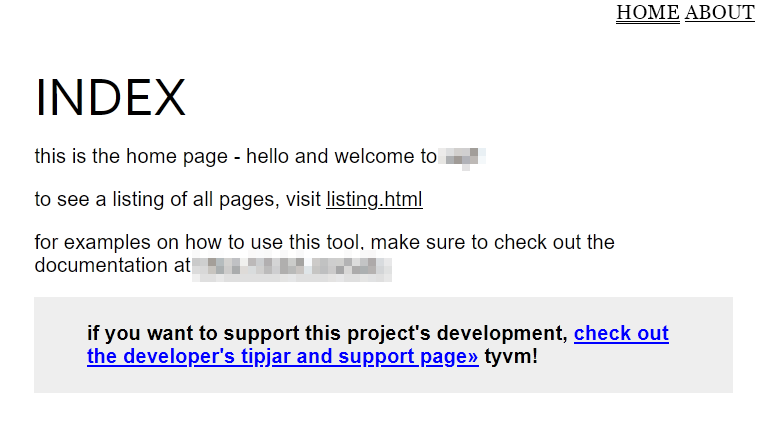 simple example page as a resource to bootstrap a new site
I think the internals of the example are shaping up nicely. The next thing I will do is bundle the directory of the example’s files inside the tool and make the tool spit it out when the quick start command is invoked.
For the next couple of days I think I want to explore this idea of the quick start command and make it so that it can be reshaped over time by the user. So that I could have different site templates I have made and embedded into the tool, any of which can be spit out on passing the name of one of the templates.
The command will use the current working directory as a default and accept a
flag, --dst <dir> to specify another directory. I’ll include a mkdirp-like
functionality so that the destination folder can be created at the same time if
needed.
As a sidenote, I really like how decadv acts as a low-key writing prompt! I’m happily surprised I can effortlessly put out so many paragraphs in one go given the right context. While I usually don’t write longform project updates like this, I enjoy both the process and the result—especially when peeking back at things a few months or a year down the line.
2025-12-02
Short one today! Writing this log much later today than yesterday.
The quick start command is implemented! I named it new for simplicity. The
naming also works for custom templates like new presentation, new docs etc.
As part of working on this I discovered a bug in my crawling routine for
recursively copying files. The crawl works by being given a directory to start
in and a function to execute for each found file. I was missing a necessary path
segment in the function I was passing. That’s rectified now which fixes an
annoying bug I was having with copying over stylesheets. While working on this I
was a bit worried that embedding a quick start template of multiple files would
make the executable exceed my self-imposed vain limit of 1000kB. But thanks to
the zipped structure and only using textfiles in the quick start example there’s
basically no noticeable impact! I’ve got a cool 42 kB to spare.
Was reading some other logs and realized others were listing some things that they want to tackle, so I’ll do that too :)
- Make new OSX builds of my rss reader and package them up to test a hypothesis of an accidental nop build
- Get an aarch64 VM up and running so I can use it to produce ARM builds for a project and also test builds on it (deja vu on this one)
- Explore an idea for a fun service I’ve been thinking about
- Resume work on the nodejs cable-core implementation and get back into that codebase
- Continue brushing up on golang bits that’ve slipped through the cracks over the years. I’m reading Kernighan’s Go Programming Language most mornings and revisiting a few projects to apply some of the things I am reading about
- Maybe do a big internal i18n revamp of Cerca
- Maybe pick up some Rust and do some experiments in that area (unlikely atm but who knows)
2025-12-03
Starting the log earlier today. I want to work on the docs for the quick start
and frontload them into the project README so that it feels easy to just get
going. Also want to see about maybe breaking up the monolithic help when running
--help. Explore some middleground with specific help sections, but still make
unanticipated parts of the tool (like the embedded docs) discoverable.
Before getting back to the site gen stuff I’ll work a bit on revising an essay I’ve been writing. I had some feedback to make it more personal. Yesterday I spent a few hours editing it in that direction, now I want to try to read through it with fresher eyes and see what it’s like. Maybe there are some new edits I can make as a result of the change in direction, superfluous parts I can trim? We’ll see! In a little bit I’ll brew a couple cups of Longjing tea I bought last week while galivanting around town.
Okay! Essay revised and I wrote the quick start docs written! I brushed up the command a little bit as well. I added a couple of flags to make it less error-prone / intentional when using the command to output the example site but I’m not sure if I just compact them to a single flag instead:
# general structure for the `new` command:
./cli new --out <path/to/parent-dir> --dirname <dirname replacing default>

# e.g. to save the example in ~/code/sketches/website do:
./cli new --out ~/code/sketches --dirname website

# if omitting --dirname, it is instead saved as the default name `new-site`
./cli new --out ~/code/sketches/new-site
Maybe it’s better to just check if basename(value of --out) exists? If the
leaf path doesn’t exist, create the directory with the directory as-written.
Otherwise if basename(value of --out) does exist, create directory
new-site at <value of --out>/new-site to avoid dumping a bunch of files in
an already populated directory.
While distracted earlier I did some research on the service idea I mentioned yesterday. I wanted to see what other projects exist in that area and understand how I can make something my own :) It took a while to go through my bookmarks but luckily I found a couple of references I knew I’d seen but had forgotten the names of.
2025-12-04
This morning I cleaned up the help section. Before I was dumping everything in a single go; it now presents a much cleaner first impression:
usage:
    # QUICKSTART

    ## write example site to dir `new-site`
    cli new

    ## build site
    cli --config new-site/conf.toml

    # HELP SECTIONS
    cli --help new                 more quickstart options
    cli --help config              flags for config mode
    cli --help standalone          flags for standalone mode
    cli --help docs                how to print the embedded documentation

    # VERSION
    cli --version

    # WARRANTY STATEMENT
    cli --warranty
Next up I’ll try to act on the notes I left yesterday, with using basename in a smart way.
That’s done now, too! cli new and cli new --out path/to/dir is all that’s
needed. If path/to/dir exists, we create a subfolder. If it doesn’t exist, we
put the new site in the final folder i.e. /dir. If new-site already exists,
we exit early to avoid clobbering it.
Time for lunch. Steamed sweet potatoes, split pea falafel, arugula, a bit of sambal oelek and whatever scrapings of hummus I can scroung up. (edit: made peanut butter sauce instead; so good…)
Tomorrow I might want to revisit a site I built a little while back and add a bit of progressive enhancement / optional javascript. That site has two interactive elements which can be hidden individually. As they are completely implemented in CSS, to remember state between page visits, a little bit of localStorage will be needed. A good task for a friday decadv and will be nice to have done :)
2025-12-05
On starting the morning today I wrote in my little daily paper agenda-notebook that I would look into the OSX builds of Rad Reader. What I did instead was play around with proquints. A human pronouncable encoding of numbers that sound like spells:
botoz-dales-fovow-weneg
The reason is that yesterday our hackerspace had our ~bimonthly (every 2 months) SHOW & TELL evening. It’s an event format greatly inspired by the event series hosted at Berlin’s https://offline.space and originally put together by https://ojack.xyz and friends. Our evenings here at the hackerspace are structured like the following.
We start by eating together for an hour; a free vegan dinner prepared by someone who volunteered for the duty. Ad-hoc donations cover cost of ingredients.
After food’s done we kick off the presentations. Each presentation consists of someone showing and/or telling the audience about something. It could be a project they’ve made, a mini-lecture on something, a presentation, or a workshop. We’ve had everything from someone’s exquisitely timed demo of a proxmox VM migration, to a presentation on the permaculture principles, to a workshop on feelings, to yesterday when someone had a workshop teaching the taut-line hitch (with ropes for everyone!).
Whatever’s happening, the person responsible has 10 minutes. That time includes setting up and questions. We use a nice little analog timer to keep track of time and when the time’s up everybody claps–even if the presenter is still talking or someone is in the middle of asking a question. It maybe sounds harsh if you haven’t attended one of these but it turns the evening into a lighthearted spectacle for everyone. All presenters get the same amount of time, there’s the excitement to see how someone with an audacious agenda will manage to convey it in the allotted time, and it limits any single person from taking too much time with their setup.
For soliciting presentations, we have a cryptpad.fr pad where anyone can sign up. The pad itself has nine 10-min slots. We break up the schedule with a 15 minute break between every group of three slots. Once the presentations are done, people linger around for a bit and talk and help out with the dishes. It’s a really great way to spend some time with friends and gives that extra little motivation to finish a project or think about how to share a topic with a bunch of friends :)
So yesterday I was presenting a project I’d made, and in the last minutes of Q&A I had some fun suggestions from the audience. One was to make the IDs in my project pronounceable. Which made me think of proquints!
This morning I was looking around for an implementation by flber I think I saw pop up on Masto. But I also didn’t want to open Mastodon and get sucked in. (I’ve been circumscribing my visits to social media / news / turning on my smart phone etc until after finishing eating lunch at the earliest.) I came across this repo by icco (also on merveilles.town): https://github.com/icco/proquint/. The code has a comment linking to a post by flbr! icco’s implementation isn’t quite what I want to do. That code is used to generate random identifiers. But I already have my bytes of data and I want to represent that data using proquints. But thanks to the comment I had something to get started with!
// from the proquint spec:
// Four-bits as a consonant:
//     0 1 2 3 4 5 6 7 8 9 A B C D E F
//     b d f g h j k l m n p r s t v z
// Two-bits as a vowel:
//     0 1 2 3
//     a i o u
// Whole 16-bit word, where "con" = consonant, "vo" = vowel:
//      0 1 2 3 4 5 6 7 8 9 A B C D E F
//     +-+-+-+-+-+-+-+-+-+-+-+-+-+-+-+-+
//     |con    |vo |con    |vo |con    |
//     +-+-+-+-+-+-+-+-+-+-+-+-+-+-+-+-+

// n is a 16bit number, for example:
n := 0xfeed
var con = []string{"b", "d", "f", "g", "h", "j", "k", "l", "m", "n", "p", "r", "s", "t", "v", "z"}
var vo = []string{"a", "i", "o", "u"}
proquint := fmt.Sprintf("%s%s%s%s%s", con[n>>(16-4)], vo[(n>>(16-4-2))&0b11], con[(n>>(16-4-2-4))&0b1111], vo[(n>>(16-4-2-4-2))&0b11], con[n&0b1111])
// same as: fmt.Sprintf("%s%s%s%s%s",     con[n>>12],       vo[(n>>10)&0b11],          con[(n>>6)&0b1111],            vo[(n>>4)&0b11], con[n&0b1111])
fmt.Printlnt(proquint)
simplified & literate-leaning golang example of my proquint code. thanks to icco+flbr for the initial snippet!
I now have a little play example that can take a piece of input, hash it to generate a 64-bit digest, and present the digest as a series of proquint words :) Which feels great! I’ve been proquint-curious for a while now but never had any real reason until now to use them.
(On finishing up today’s log I realized I left myself a note at the end of yesterday’s decadv for what to do today… maybe I look at that in the afternoon!)
2025-12-06
Evening post = short post. At least, I feel like I have short-post amount of energy going into writing this!
Anyway for an easy win, I put proquint-represented names into use for the service I’ve been working on!
It’s called smolshare! It looks like this:
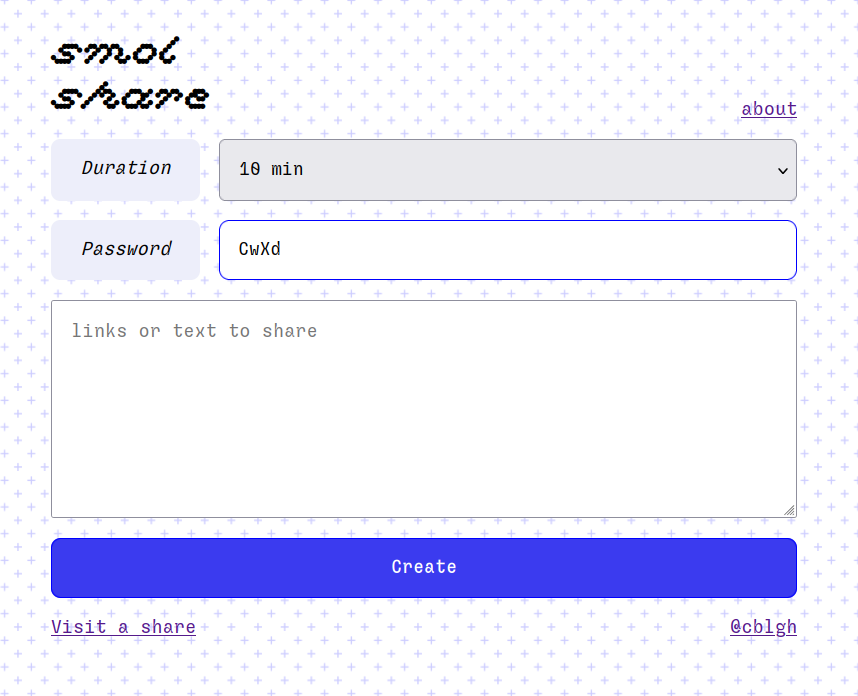
It’s for sharing small ephemeral encrypted snippets of text or links. The idea is that it makes it relatively easy to share a large amount of links / text by typing a short password and the share name. If sharing to a smart phone it generates a scannable QR code with the full link. The server only stores encrypted payloads and passwords are never transmitted to it.
I originally came up with the concept because I had researched a bunch of stuff on my phone and wanted to get the links over to my laptop. The laptop doesn’t have any chat client installed and as it’s usually booting up from scratch I am often not logged into any email. I made smolshare to make it easy to gather up all the links in one place and make it easy to manually type the needed info to access the links. I’ve already used it for unexpected use cases, like getting tabs of gift ideas out of my desktop and onto my phone for when I walk into town :)
In making this I also wanted to explore the state of web cryptography; all the encryption operations happen client-side using built-in browser functionality. The about page has more info. I also wanted to take a holistic approach to security, and make as many aspects of it as possible resilient.
Anyhow! Previously, smolshare’s share names were 7 characters of hexadecimal. Now they’re 4 groups of proquint words. This probably makes it easier to transmit share names by speaking them. It also increases the security of the system by vastly decreasing the probability of correctly guessing a share name. As before however, even if a guess is correctly made as for the share name the payload remains encrypted :)
Ended the adventuring today with a PR to icco’s proquint repository to fix some strangeness I saw in his code:
https://github.com/icco/proquint/pull/7
2025-12-07
Small one today. I added some progressive enhancement using javascript to a website I made
earlier this year. It has two interactive elements (which I’ve proudly implemented using intricate CSS and
details+summary elements), letting them be either expanded or collapsed. But when navigating across pages we need to track this state somehow. I decided localStorage was the best for this. So I just keep track of whether each element has been opened or not. I default the elements to off, but if it has been opened then I run the following snippet to expand the details element:
document.querySelector("<details element query">).setAttribute("open", "")
That’s it!
2025-12-08
I started today’s adventure by adding a little version string to my rss reader. There’s a bug I’m investigating that I believe might be caused from having published an older build instead of a newer one. Now that versioning info is present and visible, I can more easily analyse incoming bug reports and discern whether the bug is new or residing in a older version.
I fielded a question regarding my search engine about why it couldn’t crawl instances of my forum. It turns out the reason is because the search engine was being too respectful!
User-agent: *
Disallow: /
That is, Cerca (forum) was denying all search engines from crawling it. Thanks to having received the question, Cerca is now allowing crawling happening via Lieu(search engine):
User-agent: Lieu
Allow: /

User-agent: *
Disallow: /
In the future I can make it configurable, too :)
2025-12-09
Today I fixed an issue in a boring CI thing I use to make builds of a project (mismatched the quotation marks!). I was also tidying up the CSS of a project website I’ve been working on. Wanted to share some snippets of what I was doing. They’re not mind-blowing but also maybe useful to have written down somewhere :)
Code blocks can be written as
<pre>
    <code>your code
    more of your code
    omg so much code
    </code>
</pre>
To get the formatting right and to also make a horionztal scrollbar appear as-needed, I’ve used
the following snippet. The syntax pre:has(code) selects and applies the CSS to the parent
element <pre> for all cases where it has a <code> nested under it.
pre:has(code) {
    white-space: pre-line;
    overflow: auto;
 }
For getting blockquotes to display nicely I use the syntax for specifying
margin/padding per axis: <margin|padding>: <Y-axis> <X-axis>:
So the following sets a margin of 2rem on the top and the bottom, but keeps the horizontal
margin (right and left) set to 0. The top padding and bottom padding is set to 1rem,
left/right padding is set to 2.5rem each. I’ve sometimes felt uncertain which is which, so I
figured I just write it down in case someone reading this has felt that as well :)
blockquote {
   margin: 2rem 0;
   padding: 1rem 2.5rem;
}
For the progressive enhancement I wrote about a couple days ago, I was using window.onload = fn but
noticed the elements flashing in. So I swapped it out to use
document.addEventListener("DOMContentLoaded", fn) instead. DOMContentLoaded fires at an
earlier stage than window.onload and that fixed the flashing. This works for my site
because it’s static; it already has everything it needs once the HTML has been downloaded.
Unless mistaken, window.onload would wait for assets to finish downloading to finish.
Okay, that’s it for today’s little log! :)
2025-12-10
Returned to work a little bit on my static site generator. For a documentation site I was generating using it, certain very complex markdown documents were not being generated to a standard good enough to publish. When it came to these documents I conceded defeat: I used pandoc to generate good enough HTML and ran a few other unix utilities against the output, and finally copied over the generated dir to the site’s output dir.
Since then I’ve improved the table generation and solved other little bugs. One of the
remaining problems was making the links work for the in-document Table of Contents. This
amounted to inserting an id on each HTML heading, kind of like the id for the post I’m
writing right now:
<h2 id="10">2025-12-10</h2>
The tricky part is naming the id in such a way that it is generic and based on the title but also compatible with the TOC’s already written links; I didn’t want to rewrite 70 really cumbersome link titles. This is called deriving the “slug”. Thanks to having a good data set I think I arrived at a good spot with the routine and the TOCs now link correctly. I’m one step closer to snatching a win from pandoc, making my static site generator useful enough to handle even very gnarly markdown!
Another part of these complex documents is replacing references within them. My ssg has a
command replace that can replace patterns of text within input documents. It can for example
replace the contents of a link leading to an external repository so that it instead links to a page
within the static site. This kind of worked but had the following problems:
- Shorter patterns could interfere with longer patterns that contained a subset of the shorter pattern.
- Which pattern was chosen was different each execution due to the unordered nature of the map structure I was using.
I fixed this by sorting the replacement patterns. Replacements are sorted to execute the patterns with the longest length (in characters) first, fixing the problems I ran into.
2025-12-11
Today I dug into using Go’s http.MaxBytesHandler
/ http.MaxBytesReader. This is a nice utility
function for guarding submitted data. It returns an error and closes the connection without
further processing if the incoming payload exceeds the set limit. I was struggling with it a
bit! I was using http.MaxBytesHandler as a middleware but I wasn’t getting any sensible error
when posting a too large payload, and suddenly my submitted values weren’t working as expected.
The reason turned out to be my habitual use of req.PostFormValue(key string). This tries to
get the associated value submitted in the POST. What it also does under the hood is call
req.ParseForm() and req.ParseMultipartForm() as needed, squelching any errors. As a first
remedy to move away from req.PostFormValue() I tried out req.Parseform(). But I was sending
data as Content-Type: multipart/form-data and if you call req.ParseForm() in this case,
nothing useful happens. However calling err = req.ParseMultipartForm() solved it!
If a payload is too large, the returned error will be of type http.MaxBytesError, which can
be checked with a type assertion. Calling req.ParseMultipartForm correctly populates the
values of req.PostForm such that req.PostForm.Get(key) will work. Now I have a nice pattern
for safely limiting payloads and memory usage in web services :)
Oh and I totally embarked on a sewing project! I made a petri dish cosy so that I can safely store the petri dishes I use to make tempeh!
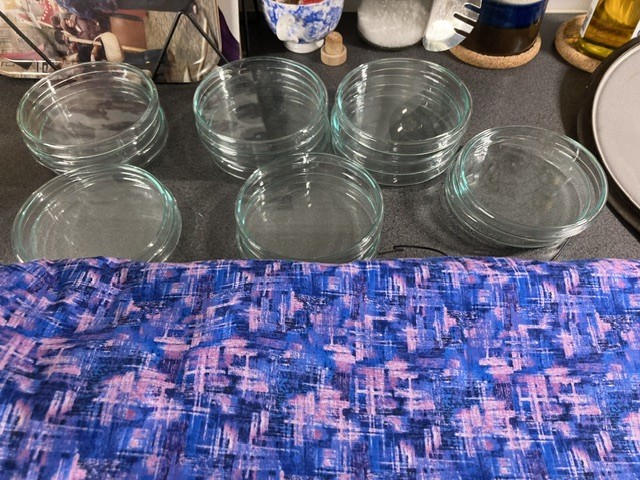
above: 15 petri dishes stacked in miscellaneous piles. below: the cosy has been filled with all 15 petri dishes and tied with the attached drawstring!
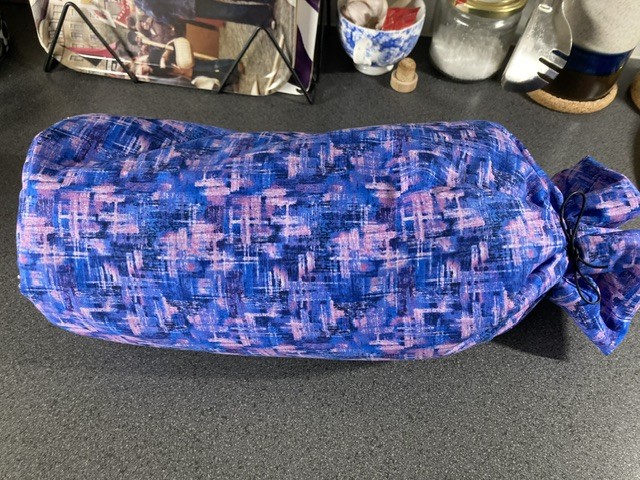
Before this week I only had 5 but I bulked that up to a chonky 10 and my old strategy (storing them in a cherry tomato plastic container) does not work anymore.
2025-12-12
Today is my name day! :)
For today’s adventure I looked into setting up codeberg pages for cabal, the peer-to-peer chat I volunteer-create with friends.
Here’s what I wrote in our chat on getting that set up:
│15:17:09 <@cblgh> started moving the webpage stuff to more official territory! i set up codeberg pages for it :) https://cabal.codeberg.page/
│15:17:45 <@cblgh> all that amounts to is putting the dist/ directory inside its own repository. then in that repository, creating a .domains file and putting one domain per line which should link to the
│                  page. then for those domains you gotta CNAME stuff
│15:18:12 <@cblgh> i will have to reach out to kira for directing the CNAME for cabal.chat to the pages repo at https://codeberg.org/cabal/pages
When working on this and adding the website output to a new repository (i.e. the pages
repository) I noticed my static site generator was outputting really way too many files so I
fixed some bugs in that, too. It’s really invaluable to have a solid real-life project to test
against. There are so many things I can’t predict ahead of time that are revealed by bumping
my tool against reality.
One bug was copying the “extras” (files and directories that are needed for most pages; like stylesheets, images, fonts, etc) into declared subfolders. This wasn’t needed! All the subfolders used the same root dir of extras. So I removed that bit of extra cleverness which was in fact not clever at all.
Another bug was my functionality for succinctly describing sets of input files using a text
pattern, like “*.md”. This mostly worked, but I noticed some odd files called .html being
written. It turns out my pattern was matching stuff like README.md.swp :) It’s now been
adjusted to really only look at the endings of input files.
I think that’s a wrap for today’s adventure! Now some dishes. Oh I put up an old recipe for making Swedish mulled wine, maybe you’ll like it: https://cblgh.org/making-glogg/
As a bonus adventure, I fixed the inline <code> breaking this page’s layout on my phone
(small screen!). The problem+solution as a sloppy diff:
code {
-   white-space: pre;
+   word-break: break-all;
}
...
+pre:has(code) {
+    white-space: pre-line;
+    overflow: auto;
+}
This is using the snippet from day 10 :)
2025-12-13
The day started with a walk into town to grab a saffron bun stuffed with almond paste (like an almond croissant, lussekatt-style). For my december computer adventure, I’m continuing to look into an issue I’ve had of getting my static site generator to work on arm64.
Unfortunately I don’t have an arm64 environment to test so I’ve been poking friends with builds. Maybe the next part of this adventure is setting up that arm64 environment with qemu that I was wanting a month ago – the research of which accidentally spurred the creation of smolshare.
2025-12-14
Today, after 2-3 days of failed experiments, I finally made my static site generator work on arm64 on Apple hardware! Very grateful for my friends who tried various failing builds :)
2025-12-15
Just a super tiny golang thing today. (Also a lot of sewing planned!)
There’s an interface in Go called io.Writer, which means that it declares a method Write:
Write([]byte) err
The thing is, if you write a string to something that satisfies the Writer interface, then that string has to take the shape of a byte slice:
// w is something that satisfies io.Writer
w.Write([]byte("hello!")
This allocates a byte slice and copies over the string contents into it, does the write and then discards the slice. So it’s a bit of waste, an extra allocation.
Some structs that satisfy the Writer interface also have a method WriteString. If that was called instead, we would save that extra allocation. This is so common to take advantage of that there’s a shortcut in the standard library that checks if the WriteString method exists on an object that satisfies the io.Writer interface:
io.WriteString(w, "hello") // no superfluous allocation!
If WriteString doesn’t exist on the underlying object, then the routine performs the necessary []byte conversion and calls Write.
2025-12-16
Spent most of the day sewing but managed to sneak in a fix for the ssg. I was reviewing its output and noticed it had way too many blanklines. Instead of go in and muck about with non-trivial parts I decided to add a final routine once an output document has been assembled which simply just omits all blank lines. Problem solved? We’ll see if this adds any other problems down the road – shouldn’t for HTML at least :)?
2025-12-17
Another small one today, this one for smol share. I adapted the css to fix an edge-case on very small mobile screens now that I’m using proquints for share names. My original design was optimizing for smaller names :) This fixes share names being visually cut or protruding on the screen.
2025-12-18
Back at the start I wrote:
Explore an idea for a fun service I’ve been thinking about
I just started prototyping it! Doing it in a browser atm, using some html, a little quick JS to create elements, and simple CSS styling. I find this mode of working so enjoyable :)
Usually when I do prototyping in this way I’ll quickly scaffold some functions that I often use. It takes a few seconds and I make little changes and iterations as needed on the spot each time. I find this ad-hoc tools-scaffolding very satisfying. Like folding cardboard to use as a device stand or making a very small notebook out of a sheet of A4. It’s so simple I don’t need to keep it anywhere, I can just instantiate it on the spot according to my need.
Here’s what my little util functions look like this time around, no judging :)
const get = (id) => document.getElementById(id)

const make = (tag, content, classes) => {
  const d = document.createElement(tag)
  if (classes) {
    if (Array.isArray(classes)) {
      for (const c of classes) {
        d.classList.add(c)
      }
    } else { // assume string
        d.classList.add(classes)
    }
  }
  if (content) {
    d.textContent = content;
  }
  return d
}

const push = (p, tag, content, classes) => {
  let par = p
  if (typeof p === "string") {
    par = get(p)
  }
  let child
  if (typeof tag == "string") {
    child = make(tag, content, classes)
  } else {
    child = tag
  }
  par.appendChild(child)
}

// and im using it somewhat like this
const m = get("main")
for (const obj of data) {
    const container = make("div", null, "container")
    const row = make("div", null, "row")
    push(row, "span", obj[0], "title")
    push(row, "span", obj[1], "time")
    push(container, row)
    push(container, "span", obj[2], "text")
    push(m, container)
}
Just had a lot of fun fooling around with CSS animations in very ill-advised ways :)
2025-12-19
Continuing the prototype I started yesterday. I’m exploring it on paper a bit, thinking about the architecture and what features to have and what views they would correspond to.
Main focus of today is the last sewing project of the bunch I’ve been doing. They’re gifts so that’s why the details have been scant, but this will be the fifth thing I’ve sew in about a week’s time! I’m glad to have gotten back on the horse again with this hobby :)
Published an update for Cabal on our Open Collective!
https://opencollective.com/cabal-club/updates/cable-2025-end-of-year-update
In the post I share a bit about the design constraints and rationale for the static site generator I’ve been mentioning earlier in these logs. The cabal website was the original impetus for starting to work on it :)
2025-12-20
I’m backfilling this log from the 21st – yesterday was spent sewing. All day!! From 11 to 23. I’ll update the log with some pictures after xmas :)
2025-12-21
Today’s a travel day to visit my parents and pretty much a NOP in terms of computer adventures. Looks like the same date last year was exactly the same ^^
I brought the tablet I read PDFs on so will see if I can make some progress on some technical literature. I also have my laptop and could continue prototyping the project I’ve mentioned. But I also have a lot of wrapping to do during the evenings so programming doesn’t seem very likely. It’s also nice to take a break. Who knows though, might fix some minor bugs in the ssg, that’s somehow always satisfying :)
Of course as soon as I write that I start thinking about maybe adding a private rss feed for Cerca. A problem right now is that community forums which are predominantly private-only posts (I’m part of one so this isn’t purely theoretical:) have no good way of knowing when new posts have been made, as private posts aren’t included in the public rss feed. I’ve been thinking about adding a button on the new /account page so that, when logged in, a user can generate an “api key” (which would be the under the hood name) which in practice could be used like:
// add new rss path segment with uuid v4 i.e. api key
/rss/c4eee71e-9918-4e7b-9a90-dba393ccbd37
If the key exists, return the rss feed with private posts. If it doesn’t return an error.
The point of making it an api key would be to potentially enable other future functionality, like enabling querying the forum data to e.g. support creating alternative clients (like a CLI forum browser:). Even if those potential future features never come to pass, this api approach to a private rss feed is neat in its design and additional maintenance load. It would be another sql table, a button and a routine to generate and replace the previous uuid, and a new route in the server to return the rss feed with private thread titles.
2025-12-22
Forum sketching. Working out the private api key solution to enabling private rss feeds
–
And I have it implemented! I’ll push it to a separate branch for now and merge it in a few days. Branch and commit:
- https://github.com/cblgh/cerca/tree/private-rss
- https://github.com/cblgh/cerca/commit/3ef2ec5c83b4bb5f727922a3530a524159ea0fa8
2025-12-23
Holidays are in full swing, big ol computer noop!
2025-12-27
Showing off some fabric-based projects I’ve done in the past couple of weeks!
Petri dish cosy (fits 15 petri dishes without a problem—I use them to make tempeh:)
Oven patches / oven mitts
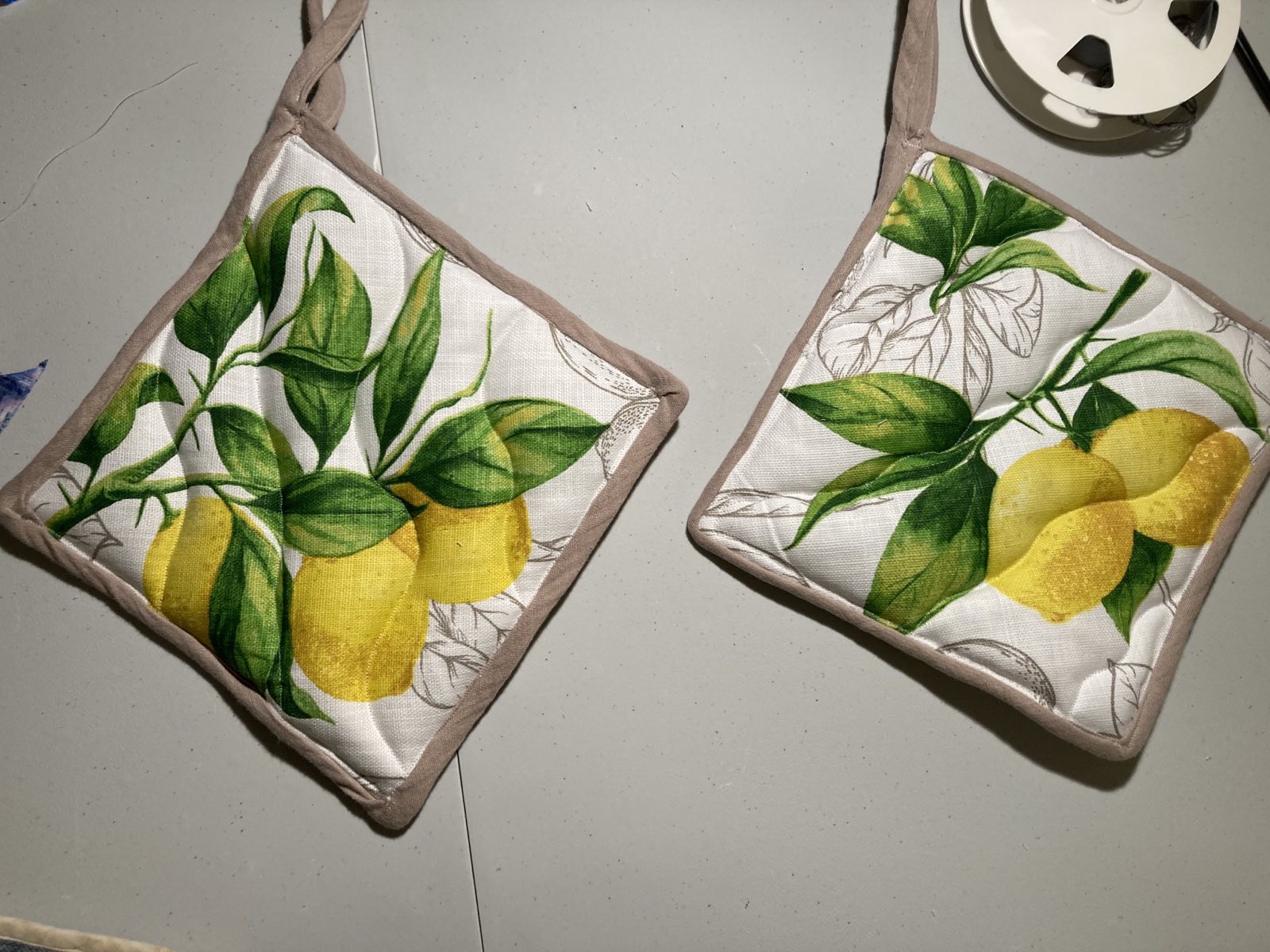
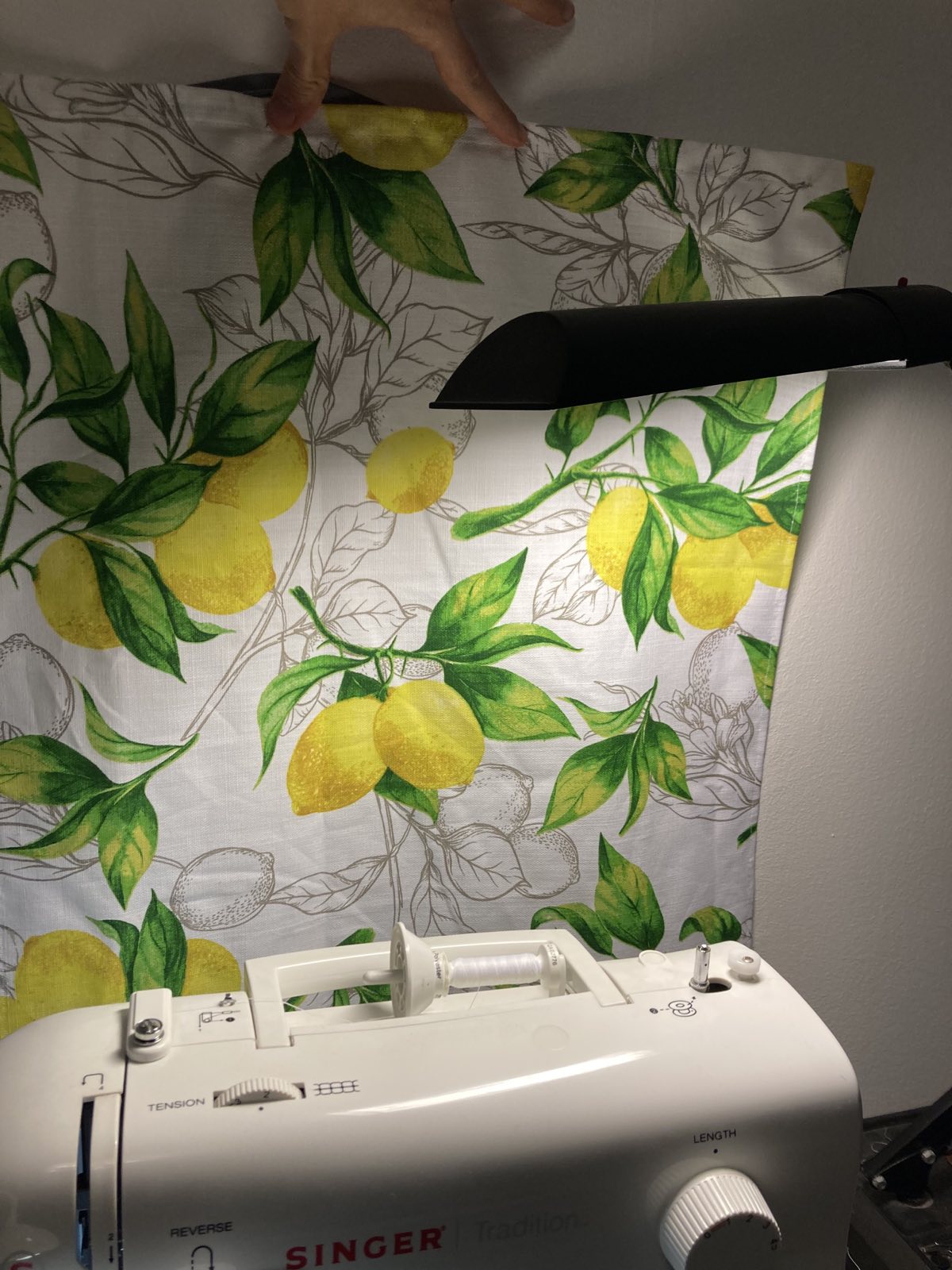
Matching kitchen towel
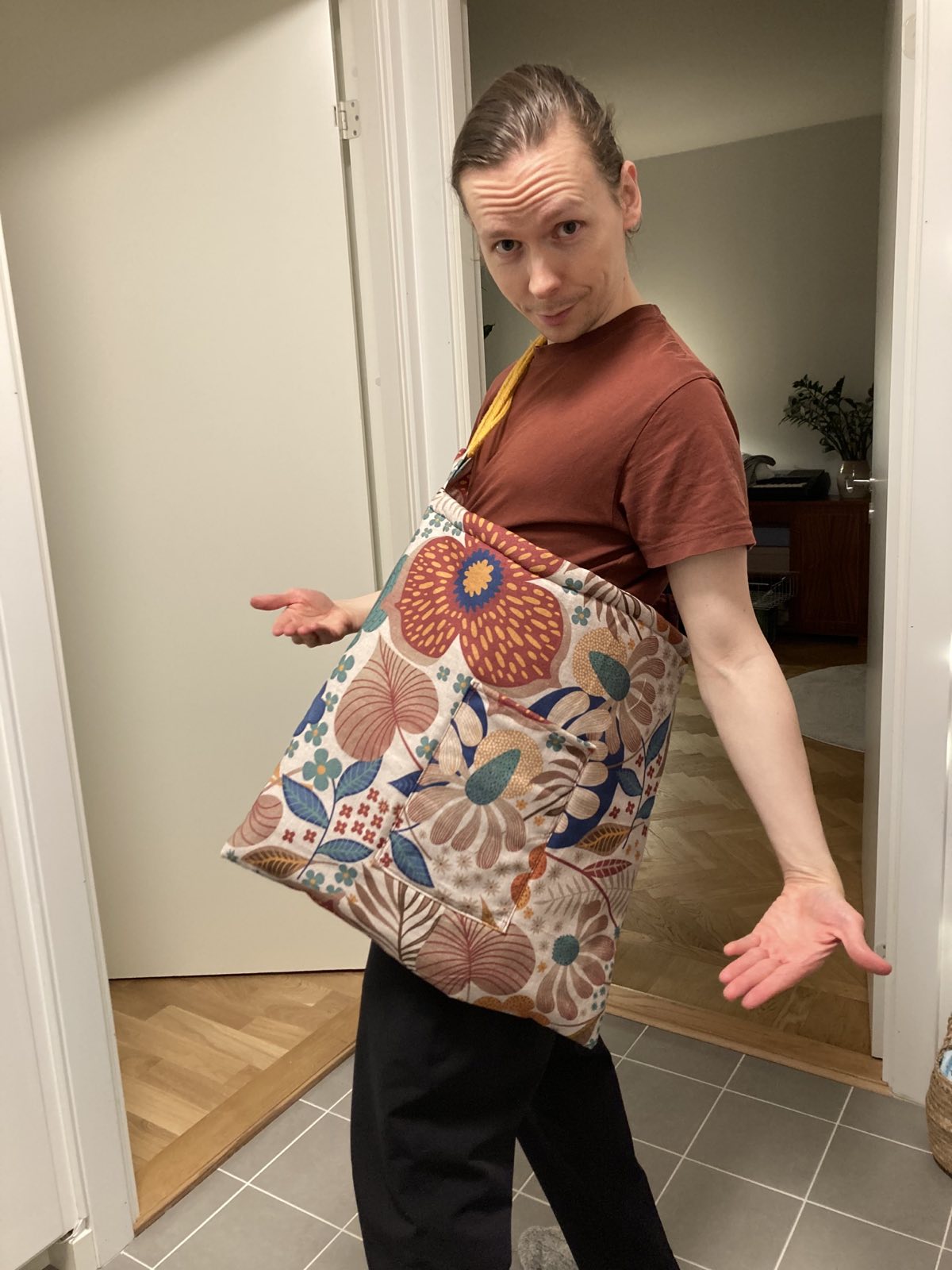
Big bag with pocket
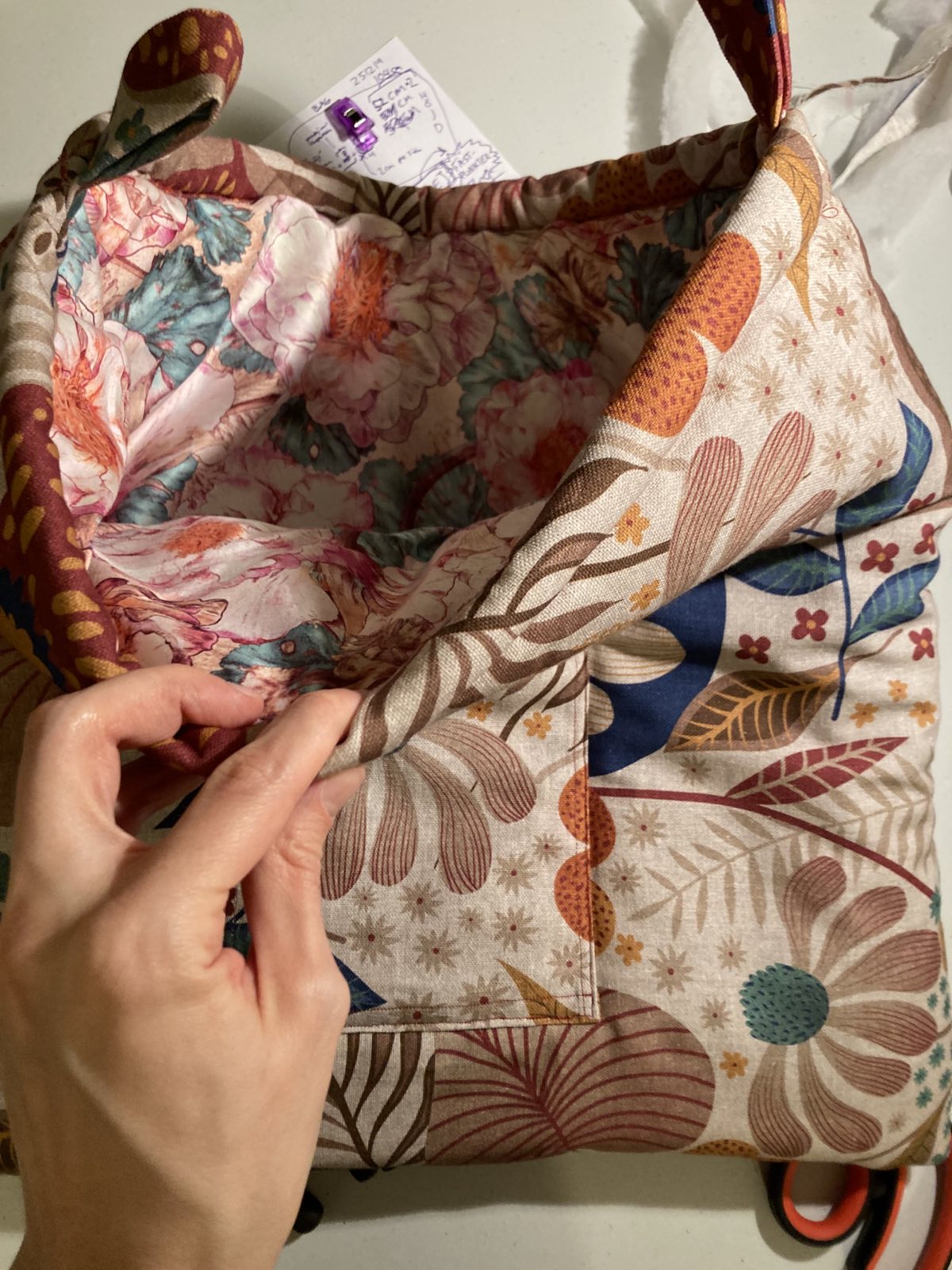
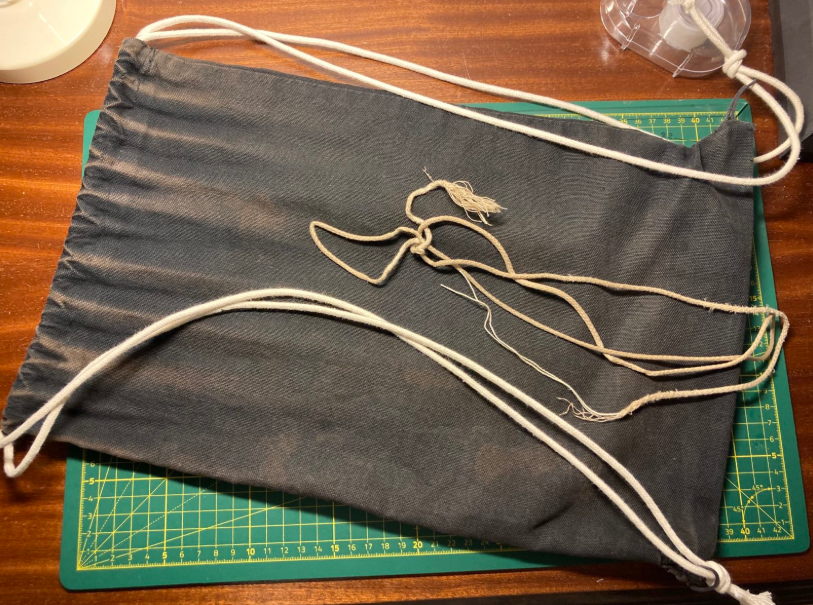
Fixed new ropes for my drawstring tote